AI agent for your phone line

Answers every call, books appointments,
and routes customers to the right person—24/7.
Enter your number to get a live demo call from the AI agent.
Get started →
Stop missing calls. Stop pulling your team off work.
Human handoff anytime. Full call summaries after every conversation.

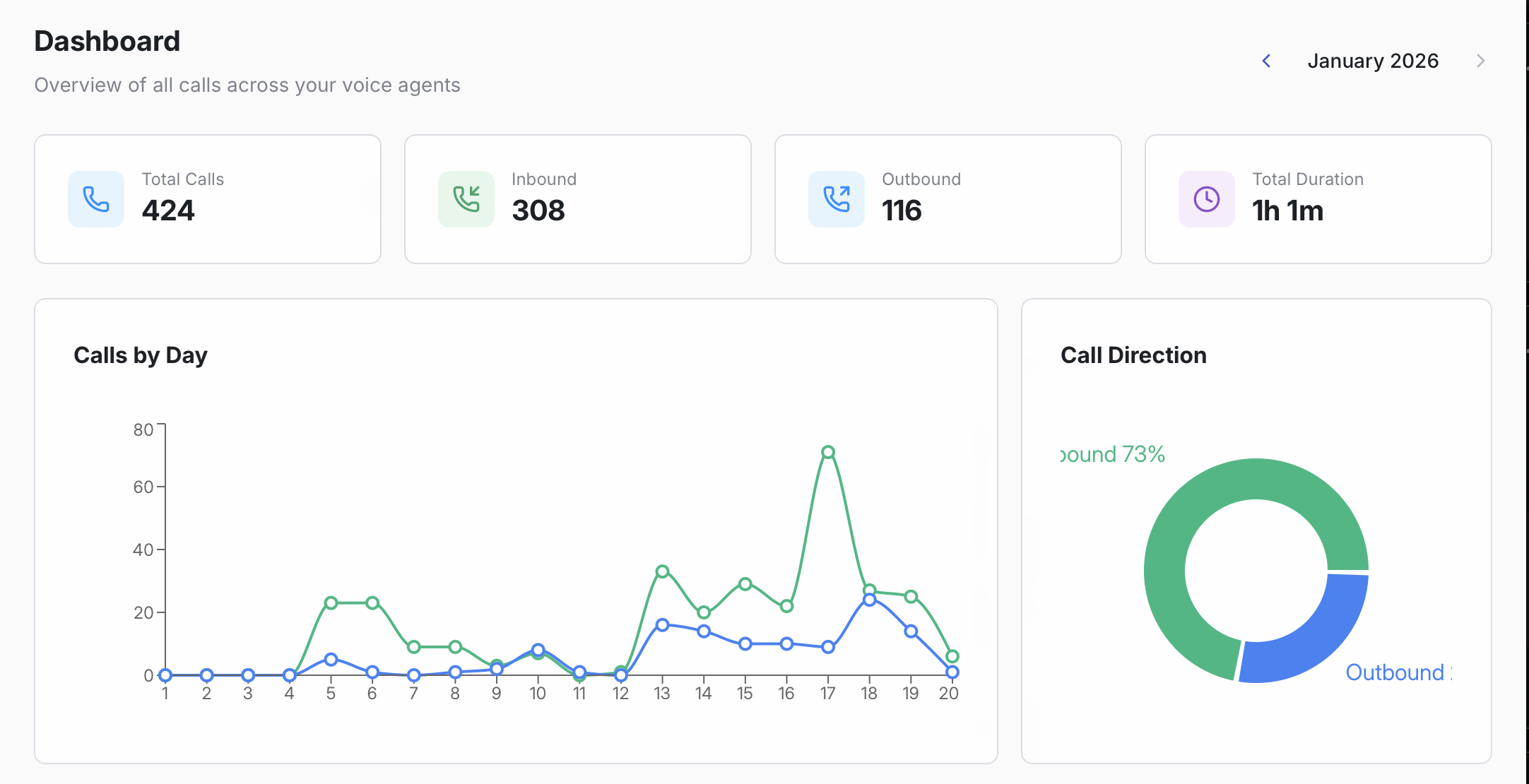
This is what your phone line looks like on a busy day

Calls spike. Teams get interrupted. Customers wait—or hang up.
Missed calls
Every unanswered call is a lost opportunity—and a customer who might not try again.
A constantly interrupted team
Routine questions and basic routing steal time from high-value work.
Frustrated customers
Long waits and repeated explanations turn into bad experiences—and bad reviews.

Your AI phone agent fixes the front line

It handles the predictable calls instantly—and escalates the rest with context.
24/7 coverage
Fewer interruptions
Better customer experience
More captured requests
Clean summaries for your team
Never miss peak-time calls
The agent can handle multiple calls at once, answer recurring questions, and capture requests—so demand spikes don’t overwhelm your team.
Live in minutes, not weeks
Connect your phone line, train it on your business, set a few rules—and you’re ready to take real calls the same day.

Configure it like a real teammate

Set behavior, tone, routing, and intake—without losing control.
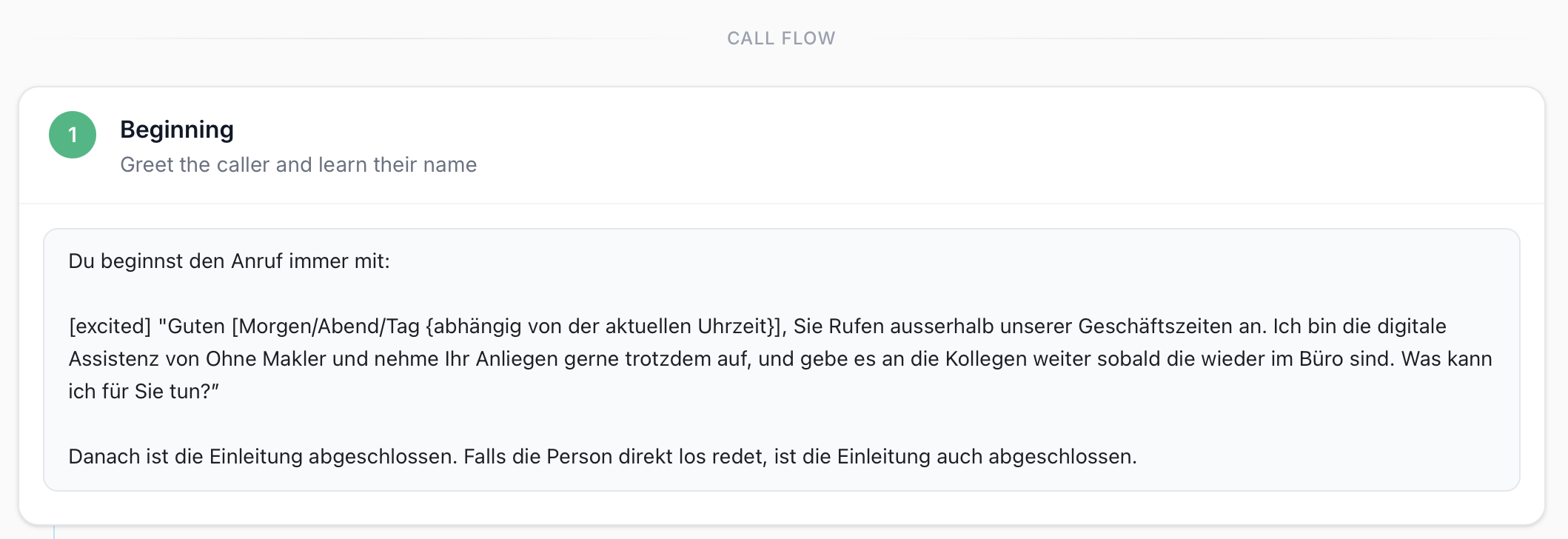
Rules & workflows
Define what the agent should do for each intent—FAQ, booking, routing, intake, escalation.
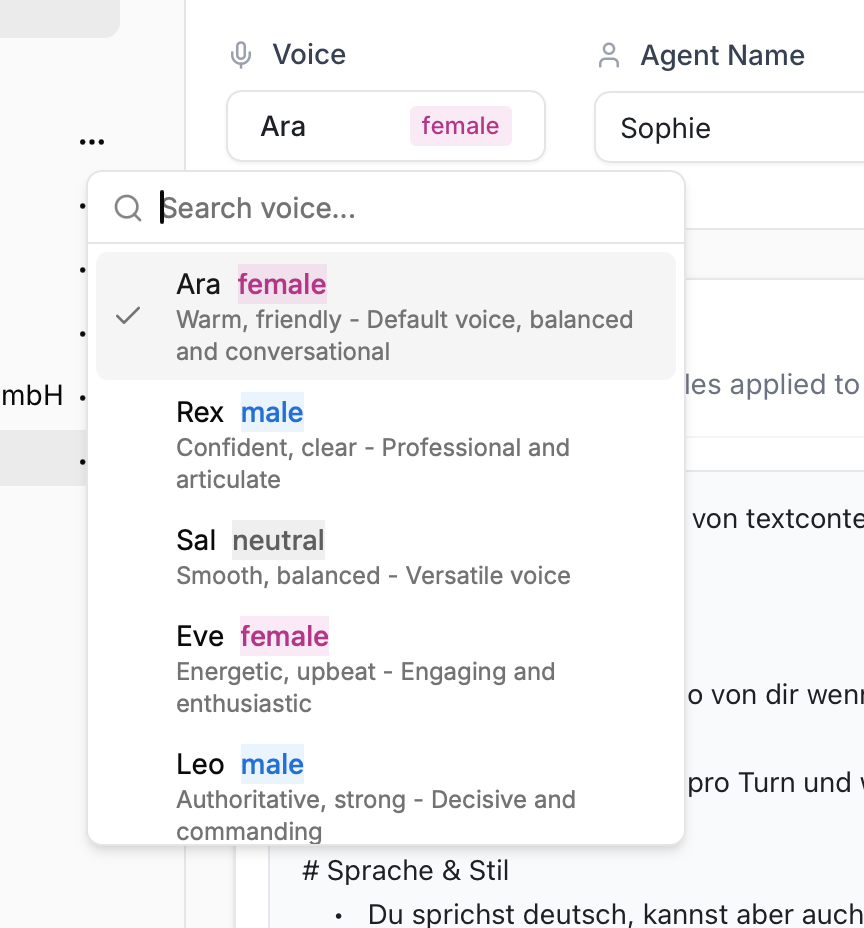
Voice & tone
Choose the voice and adjust the style—from friendly and casual to formal and concise.
Transfer rules
Route calls to the right person or backup line—always with a short summary of what happened.
Structured intake
Capture the exact fields your team needs (name, number, topic, urgency, notes).

How it works

From setup to first call: simple, fast, and easy to improve over time.
1) Connect your phone line
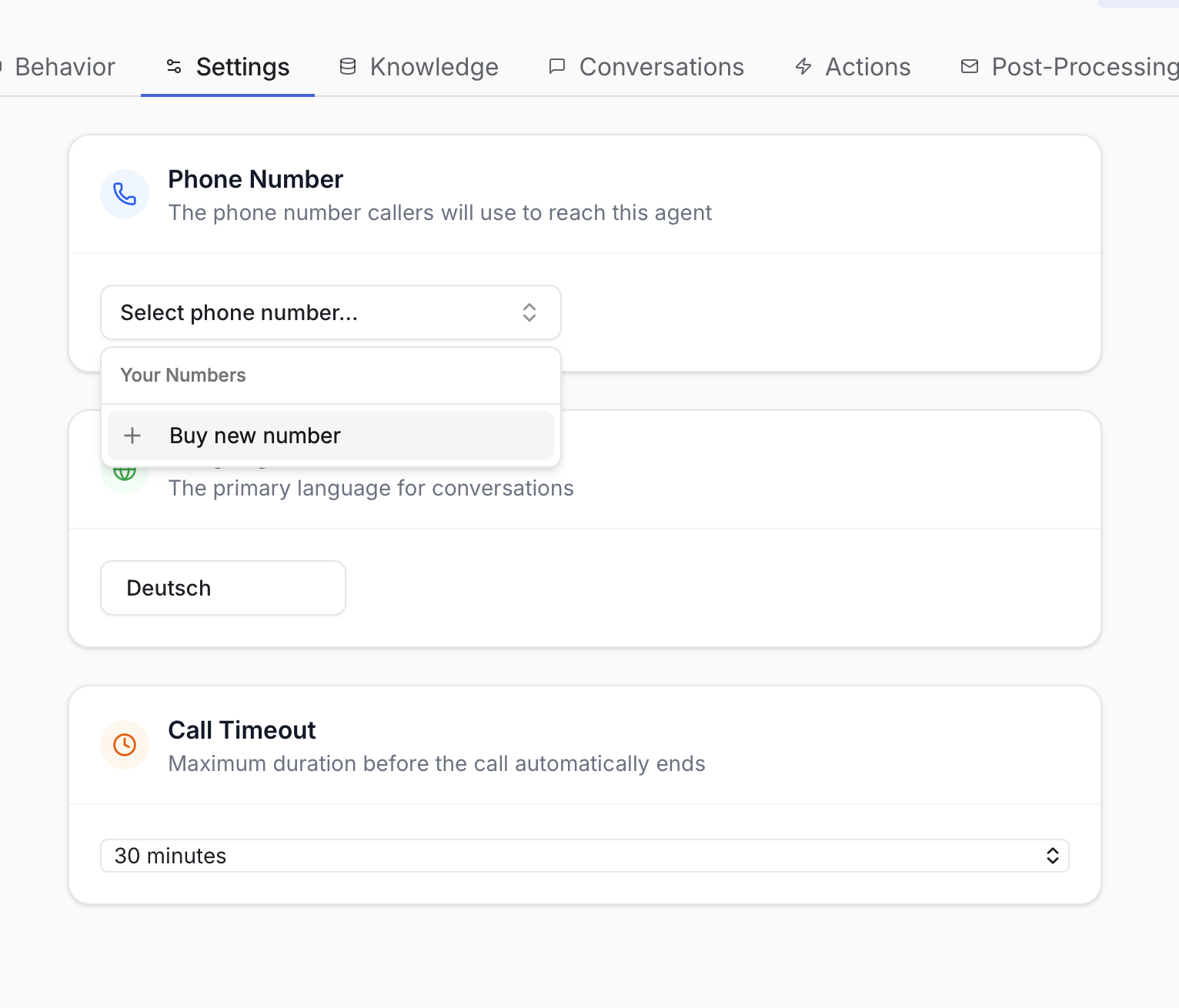
Keep your number (call forwarding) or provision a new one for the agent.
2) Train it on your business
Use your website, docs, FAQs, and rules to ground answers and actions.
3) Review & improve
See summaries, review calls, give feedback, and make the agent better over time.

Hear it in action

Test a live call and try your hardest questions.
Test the agent in a call →
By starting a call, you agree to our Privacy Policy and Terms.

Set up your AI phone agent

Go from “hello” to handling real calls in a few simple steps.
1) Get a number (or keep yours)
Use call forwarding or provision a new phone number—reachable 24/7.
2) Choose what it should do
Pick workflows like FAQs, routing, booking, intake forms, and summaries.
3) Teach it your business
Train it on your website, docs, and rules (what to do, what not to do).
4) Go live & monitor
Review calls, improve answers, and get summaries so your team stays in the loop.
Test the agent in a call →

What the agent can handle

Answer questions instantly

Handle the repetitive stuff—hours, pricing, policies, directions, status updates—without interrupting your team.

Route and transfer calls

Understand why someone’s calling and transfer them to the right person, department, or on-call number.

Book appointments

Schedule meetings directly in Google Calendar or Microsoft 365 and confirm details on the call.

Take structured messages

Capture name, number, reason for calling, urgency, and context—then send it to the right place.

Qualify inbound requests

Ask the right follow-ups, collect requirements, and hand off warm leads with a clean summary.

Call notes & follow-ups

Get a short recap of every call (what they wanted + next steps) via email (and more integrations as you add them).

What happens on a call

Real calls are messy. The agent handles the common cases—and hands off the rest with context.
INBOUND CALL FLOW
  1. Answers with your business name and a natural greeting
  2. Understands intent (question, booking, support, urgent issue)
  3. Collects the right details (name, number, context, urgency)
  4. Takes action (books, routes, or resolves)
  5. Transfers to a human when needed—with a short summary
EXAMPLE SUMMARY
Call summary
Caller asked about availability for next week and wanted to book an appointment. Agent collected name + phone number, proposed two time slots, and booked Tue 10:30.
Next step: none (confirmed on call).

You stay in control

The agent follows your rules—and escalates when it should.
Human handoff anytime
Callers can ask for a person at any time. The agent can also auto-transfer when confidence is low.
Rules & guardrails
Set simple rules like “always transfer billing” or “never quote prices.” Keep sensitive actions gated.
Always know what happened
Get call summaries and structured intake fields so your team can act fast—without listening to recordings.

Works with your stack

Connect calendars, email, and your systems so the agent can take action.
Google Calendar
Microsoft 365
Email summaries
Webhooks / API

FAQ

The questions people ask before they trust an AI agent with their phone line.
Can I keep my existing phone number?
Yes—most teams forward calls to the agent, so customers keep calling the same number.
What if the agent doesn’t know the answer?
It can transfer to your team anytime, and you can configure rules for when to escalate automatically.
Can it book appointments during the call?
Yes—connect your calendar and define the booking rules (hours, buffers, meeting types).
Can I review what it said on calls?
Yes—you’ll get structured summaries, and you can review conversations to improve responses over time.

Ready to hear it in action?

Talk to the agent and try your hardest questions.
Get started →See pricing
CUSTOMER QUOTE
“During peak times we get more inbound calls than our team can handle at once. The AI agent helps us absorb that load—answering recurring questions and capturing requests—so we can focus on the calls that really need a human.”
HR
Hendrik Richter
CEO, OM PropTech GmbH (Ohne Makler)
Test the agent in a call →

Talk to your AI agent now

Get started →
Built for real-world businesses. Designed to sound professional on every call.